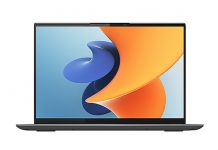
Huawei is known for its first-class smartphones. However, the laptops released by the company are just as outstanding as its smartphones. Recently, the company launched the Huawei MateBook X Pro 2022, and we were fortunate to have one for review. The Huawei MateBook X Pro 2022 integrates many innovative technologies. It is Huawei’s most important laptop in recent years and also a showcase of Huawei’s technology and ambition in the laptop field. The improvements on this laptop cover multiple aspects, from the display to the chip. It comes with the latest chips that are available in the industry.
The Huawei MateBook X Pro 2022 features an 11th-generation Intel Core i7-1195G7 processor, Intel Iris Xe graphics, an excellent 3K LTPS screen, and a starting price of 9,499 yuan ($1,491), making it very attractive.
Specifications
| Screen | 14.2-inch, LTPS, 3120 x 2080, 264 PPI, 1500: 1, 1.07 billion colour, 90Hz |
| Processor | 11th Gen Intel Core i7-1195G7 processor |
| Wireless Connection | IEEE 802.11 a/b/g/n/ac/ax, 160 MHz, 2.4 GHz and 5 GHz, 2 x 2 MIMO, Bluetooth 5.1 |
| Graphics card | Intel Iris X Graphics Card |
| Memory | 16 GB LPDDR4 |
| Storage | 1 TB NVMe PCIe SSD |
| Camera | 720P HD camera |
| Ports | USB-C x 4 (support data, charging, and DisplayPort); 3.5 mm headset and microphone 2-in-1 jack x 1 |
| Battery | 60Wh Lithium polymer battery |
| OS | Windows 11 Home |
| Weight | 1.38 kg |
Design & Appearance
Huawei has done quite well in laptop design. The MateBook X series has a distinctive design, which Huawei has maintained for many years. Like other devices in the MateBook series, the Huawei MateBook X Pro 2022 features a ceramic design. The entire body of this device is made of ceramic, and the bottom plate is also made of metal. The back of this laptop is very simple and plain. However, its texture is not completely smooth; it has a slight grain, which provides a good grip for the laptop. With this design, the laptop is not easy to slip out of your hands. In addition to the grainy ceramic body, the top surface of the Huawei MateBook X Pro 2022 also features a very prominent CNC-engraved ‘Huawei’ logo. This is the only design element on the top surface of the device.
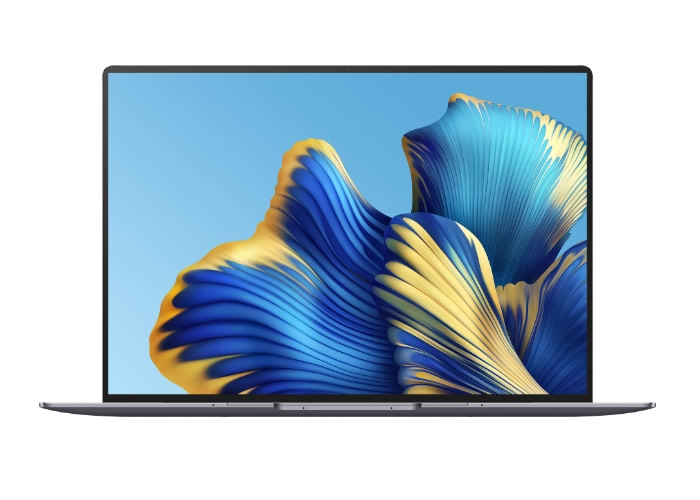
The Huawei MateBook X Pro 2022 uses a sandblasting process and selects a ceramic sand mold that is closer to the diamond surface. It ensures a warm and comfortable touch while also maintaining the introverted gloss.
The bottom of this laptop is very clean, with no cooling vents at all. Somehow, Huawei has found a way to make the metal bottom design not affect heat dissipation. At the bottom, Huawei includes four plastic anti-slip feet (pads). If you want to disassemble the device, you need to be aware that there are two screws under the pads that must be removed first. When the laptop is placed on a desk, these feet slightly elevate the device, preventing it from touching the desk directly.
However, this laptop’s bottom plate and sides do not have heat vents. These are the heat vent positions for most laptops on the market. The bottom plate of the Huawei MateBook X Pro 2022 is curved on all sides. On the side edge, at the contact between the curved bottom plate and the side of this laptop, there is a thin, long, and slender opening through which heat is let out.
This design looks very high-end, because at first glance, a beginner might mistakenly think that this laptop has no cooling vents. Considering that some laptops on the market weigh 1.5 kg, this laptop is lightweight and thin. It weighs 1.38kg, which is quite acceptable considering the hardware it carries. The laptop’s dimensions are 310 x 221 x 15.50 mm. From the dimensions, it is clear that the MateBook X Pro 2022 is indeed very slim.
The model we reviewed is the silver version, but this laptop is also available in space gray. Inside the packaging, it includes a 65W USB-C power adapter, a USB-C charging cable, a USB-C OTG cable, a quick start guide, and a warranty card.
Display
The Huawei MateBook X Pro 2022 comes with a professional-grade 3.1K display. This device is the world’s first notebook display to have passed the TÜV Rheinland professional-grade two-color gamut certification standard. The screen features 100% sRGB and 98% DCI-P3 coverage, with an average dual-color gamut ΔE of less than 1, meeting the standards of professional-grade monitors.
The screen size has also been upgraded from the previous generation’s 13.9 inches to 14.2 inches, with a resolution of 3120 x 2080 and a refresh rate of 90Hz. In addition, the display reaches 500 nits in brightness and has a contrast ratio of 1500:1. Additionally, due to the thin bezels on all four sides, the screen-to-body ratio exceeds 92%.
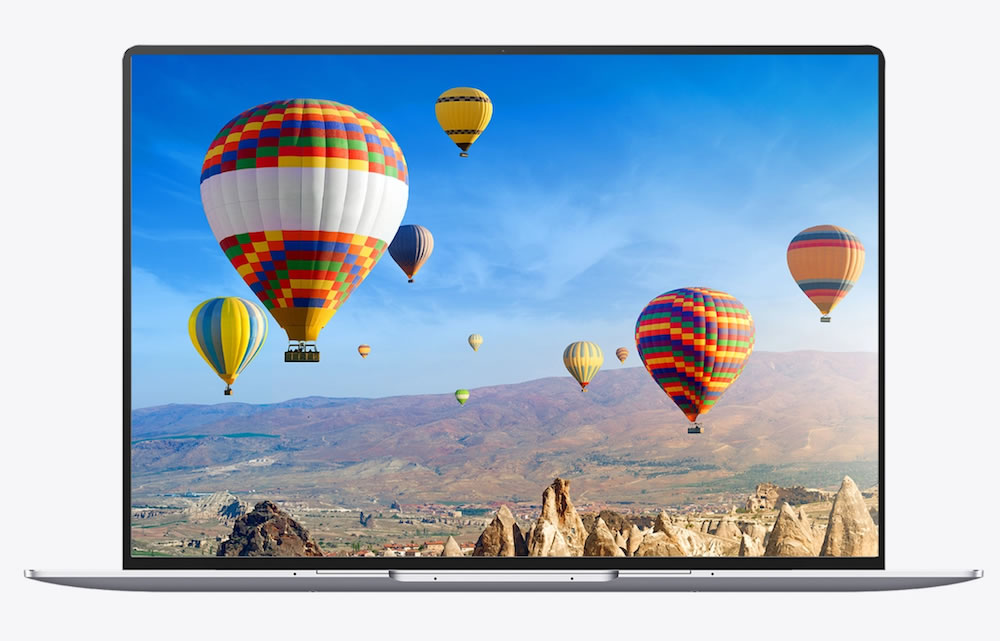
To ensure that the bezels are narrow on all sides and that the screen-to-body ratio exceeds 90%, Huawei had to reduce the size of the camera hole. Huawei developed an exclusive automatic laser precision welding technology, innovatively adopting a 0.15mm double-hole welding design for each connection position of the camera module.
Compared with the previous generation, both the screen size and resolution have increased. The default screen refresh rate is 60Hz, but you can manually increase this refresh rate to 90Hz by pressing Fn + R. Using the same command, you can lower the screen refresh rate back to 60Hz.
In addition to the Rheinland professional-grade two-color gamut certification, this laptop also has the German Rheinland hardware-level low-blue light certification. This certification means that viewing this screen causes less harm to the eyes, making it more suitable for users who need to use a computer screen for long periods. In addition, the Huawei MateBook X Pro 2022 also has the German Rheinland TÜV non-flicker certification and natural-color display technology. These certifications demonstrate the durability and high-end quality of this display. Apart from the 100% sRGB color gamut and other top-tier specifications, this display also supports 1.07 billion colors.
Still on the screen, Huawei has also specifically optimized the touchscreen gestures. You can use a three-finger swipe down to quickly take a screenshot, quickly recognize text in the screenshot, and quickly share it through multi-screen collaboration. The screen touch and multi-screen collaboration bring the best mobile office experience. The addition of a touchscreen makes the coordination of touch and multi-screen possible. This allows users to perform many functions just by touching the display. The touchscreen makes operations such as dragging and dropping files, sharing, and zooming in or out more convenient.
Screen Test: A real professional-level display
The Huawei MateBook X Pro 2022 has a high cost on the screen. According to Huawei, this 3K screen has an average color accuracy of ΔE<1 for the P3 color gamut and sRGB color gamut. Let’s test it with Starscream X.
Color gamut coverage
The larger the color gamut value of the monitor, the better. The larger the color gamut, the more colors the screen can display, the richer the colors in images and videos, the higher the natural fidelity, and the better the visual experience for the human eye.
In tests, this screen has an sRGB color gamut of 99%, while the AdobeRGB color gamut is 89%. In addition, the P3 color gamut is 98%, and the NTSC color gamut is 87%.
As for the color gamut, it has reached the level of a professional display. Also, its color coverage is perfect for human eye recognition.
Brightness & Contrast
The maximum brightness of this screen during testing is 537 nits, which is 37 nits higher than Huawei’s official data. However, the contrast ratio is about 1400:1, while Huawei states it as 1500:1.
Display luminosity
The standard value for luminosity is 2.2. The closer the gamma curve measured in the test report is to 2.2, the better. In the tone response test, the luminance measured on the MateBook X Pro 2022 is 2.2, which is very good.
Color accuracy
The Delta-E is used to quantify the color difference between different colors. This defines the range of color difference that the human eye can tolerate. Generally, Delta-E values between 3 and 6 are acceptable.
The technical standards for Delta-E are as follows:
- 1.6 – 3.2: When viewed from a certain distance, there is basically no difference in color. Here, it is usually regarded as the same color
- 3.2 – 6.5: The difference in color can be seen, but the impression of color is basically the same
- 6.5 – 13: The difference in color can be seen, but it can be regarded as the same hue
- 13 – 25: It is considered a different color if it exceeds this value
In terms of color accuracy, the highest Delta E value is 1.28, while the lowest is 0.21. The average Delta E value of the Huawei MateBook X Pro 2022 is only 0.65. Comparing this value with the above technical standards, the color accuracy of this screen exceeds that of professional-grade monitors.
Keyboard
The Huawei MateBook X Pro 2022 keys have a 1.5mm key travel, which is very rare in ultra-thin laptops. In addition, to reduce finger fatigue caused by long periods of typing, Huawei engineers applied the concept of spacecraft soft landing to this keyboard. This concept ensures that when a key is pressed, it decelerates first and then comes to a stop, reducing the force on the fingers, making typing comfortable for users, and minimizing fatigue.

This laptop also comes with a fingerprint unlock feature integrated into the power button. When fingerprint information has been recorded and needs to be unlocked, simply touch it for 1 second to activate and enter the desktop. At the same time, by recognizing fingerprints, you can securely log in to applications and websites without storing passwords on the server. This provides additional security for the user’s personal information.
Inspired by smartphone pressure sensors, Huawei introduced a pressure touchpad design on the Huawei MateBook X Pro 2022. The company added eight independent piezoelectric ceramics and then integrated them with software and algorithms developed by Huawei’s 2012 Lab. No matter where you click on the touchpad, you can get real-time instant feedback. The touchpad has also added some new gestures, which include:
- Tap twice to take a screenshot
- Scroll the left side of the touch pad to adjust the screen brightness
- Scroll the right side of the touch pad to adjust the volume
- The upper side can fast-forward and rewind the video.
In addition, to improve the laptop’s heat dissipation, Huawei designed ventilation holes on the keyboard backlight panel. This greatly reduces the laptop’s temperature under heavy load. At the same time, to ensure water resistance, a layer of waterproof and breathable membrane has been added under the keyboard. If coffee or other liquids are accidentally spilled on the keyboard, there is no need to worry.
On both sides of the keyboard, we notice a grille, and we might easily think this is the speaker output. However, this is not just the speaker output; it is also an intake vent used to keep the internals cool.
Battery, Charging, and Cooling System
The battery capacity is 60Wh, which is relatively large for a 14-inch slim laptop. According to official data from Huawei, it can maintain 9 hours of local video playback.
The charging head supports 5V/3A, 9V/3A, 12V/3A, 15V/5A, 20V/4.5A output standards, and can output up to 90W power. It is compatible with almost all current mobile phone fast charging specifications and can charge Huawei phones directly.
The internal craftsmanship of the Huawei MateBook X Pro 2022 is pleasing to the eye. An ultra-thin pure copper plating covers the entire power supply area of the PCB board. In addition, the company has also improved the fans. This device comes with a new shark fin cooling system. The height of the two shark fin fans reached 4.5mm, and the fan volume has increased by 25% compared to the previous generation. With the new 0.8mm ultra-thin VC (vapor chamber) cooling module, the overall cooling efficiency is improved by 40%.
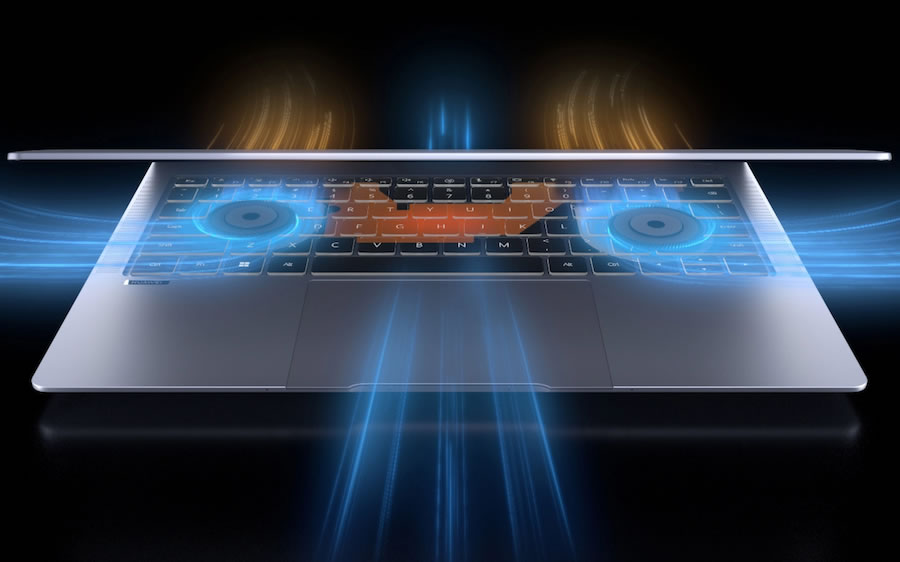
Under heavy load, the fan noise (especially on slim laptops) can significantly affect the user experience. This noise is even more disturbing when the device is used late at night while people are still asleep. However, Huawei has optimized the system and adopted the following solutions to control noise and temperature. Here is what we observed in our fan technology review.
Increase the fan volume: As we said earlier, the fan volume has increased by 25% compared to the previous generation. It also has two shark fin fans, reaching a height of 4.5mm.
Full-size soaking plate: The heat transfer efficiency of the immersion plate is much higher than that of traditional heat pipes. In addition, Huawei has designed an ultra-capillary circulation tube inside the immersion plate, and compared with the previous generation, the cooling capacity has increased by 40%.
Keyboard air inlet: For notebooks, more air inlets and outlets can help circulate air from the inside of the notebook to the outside of the fuselage more quickly. Huawei MateBook X Pro 2022 can make the cold airflow into the host from above the keyboard by opening holes in the laptop backlight panel. This also helps in reducing the temperature of the keyboard and the motherboard.
The MateBook X Pro 2022 runs at 25W, with less noise than its predecessor’s 15W. In fact, when we use this laptop at 25W, the fan noise is also very low.
Connectivity and Speakers
This laptop has one Type-C (Thunderbolt 4) port, one Type-C (full-function) port, and a 3.5mm headphone jack on the left side of the body. On the right side of the body, there are two USB Type-C ports. Compared to its predecessor, the change is significant: its predecessor had only one USB 3.2 Gen 1 port on the right side. The included accessories are a Type-C charger, a Type-C charging cable, and a Type-C to USB-A cable.
The Huawei MateBook X Pro 2022 has three sets of 6-unit speakers (4 woofers and 2 tweeters). In fact, in this review, the laptop’s bass surprised the entire team. It is hard to imagine that such a slim laptop could have such outstanding sound quality. This is because Huawei developed the industry’s thinnest asymmetrical back-to-back woofer design. Each pair of woofers is only 4.6 mm thick. At the same time, the battery was moved up by 2.5 mm to achieve a 6cc sound cavity.
With the support of asymmetrical back-to-back woofers, the MateBook X Pro 2022 has a deeper low-frequency dive, which is 6dB lower than its predecessor, and at the same time, doubles the power. Thus, it can achieve the bass effect that was impossible in the past.
The tweeter is not inferior and can support a 20 kHz frequency response. This is also the limit of the high pitch that the human ear can hear. Overall, the MateBook X Pro 2022 is a thin and light laptop, and it can be confidently said to have the best audio in the industry.
Hardware
The MateBook X Pro 2022 is powered by an 11th-generation Core i7-1195G7 processor, featuring four cores and eight threads. This is currently the most powerful low-power processor, with a boost frequency of 5.0 GHz and an all-core frequency of 4.8 GHz. In addition, this laptop comes with Iris Xe integrated graphics, with 96 EU units and a thermal design power of 28W.
Performance Tests
CPU-Z
In the CPU-Z test, the single-thread score is 610, and the multi-thread score is 3166. The overall performance surpasses the desktop version of the 7th-generation i7-7700K.
CineBench R15
In the CineBench R15 test, the single-thread score was 223cb, and the multi-thread score was 1008cb. Based on this result, it has already reached the performance of a top-tier quad-core processor.
CineBench R20
In the CineBench R20 test, the single-thread score was 588cb, and the multi-thread score was 2265cb. Interestingly, the single-thread performance reached the level of the current top mobile processors. The multi-thread performance was also no different, reaching the level of top quad-core processors in the industry.
CineBench R23
In the CineBench R20 test, the single-thread score is 1539cb, and the multi-thread score is 5647cb.
GPU
The Iris Xe GPU with 96 EU units is currently the most powerful integrated graphics. Let’s take a look at its performance with dual-channel LPDDR4x 3733MHz memory.
3DMark
In the 3DMark Fire Strike Extreme test, the Iris Xe GPU scored 2485 in graphics. In contrast, the MX250 typically scores around 1800 points.
Temperature, endurance, SSD & memory performance
Temperature
The Huawei MateBook X Pro 2022 offers two operating modes, which result in different temperatures. This laptop provides ‘Balanced Mode’ and ‘High Performance Mode’ as options. In ‘High Performance Mode,’ the processor’s power consumption can reach 30W. Let’s take a look at the laptop’s cooling capability.
Press the Fn+P keys at the same time to switch the laptop to high-performance mode. We conducted a 30-minute temperature test on this laptop. The processor’s power consumption stabilized at 30W, the laptop’s frequency was 3.3GHz, and the core temperature was only 86 degrees.
Battery Life
The MateBook X Pro 2022 has a 60Wh lithium battery. We conducted a battery life test on the laptop using PCMark 10. The test scenario selected was PCMark 10’s modern office scene. During the test, the power mode was set to ‘energy-saving mode,’ and all other processes were closed. The network connection was inactive, and the screen brightness was set to 60%. In the PCMark 10 modern office scenario battery life test, the score was 9.5 hours. Based on normal daily usage intensity, it should support a full day of mobile office work without any issues.
One thing to note is that since the MateBook X Pro 2022 has a brightness of up to 550 nits, we set the brightness to 60% during the battery life test. However, this 60% brightness is actually brighter than 100% brightness on other laptops. Therefore, the 9.5 hours of battery life measured here could actually be higher, as 60% brightness might be too high for you. For the author, 40% brightness is already sufficient for this laptop.
SSD
Our MateBook X Pro 2022 uses a PCIe 3.0 SSD from Yangtze Memory, with a capacity of 1TB.
The first is the read and write performance test. The total score of this SSD is 4298, with sequential read and write speeds of 2950 MB/s and 2250 MB/s, respectively. In addition, the 4K random read and write speeds are 59 MB/s and 217 MB/s, respectively.
Memory
The MateBook X Pro 2022 has built-in dual-channel LPDDR4x 3733MHz 16GB memory, which is currently considered a higher frequency. The read, write, and copy bandwidths of the measured memory are 52858 MB/s, 58626 MB/s, and 56439 MB/s, respectively, and the latency is 101.6 ns.
Summary: A notebook that is almost perfect
The added value of the MateBook X Pro 2022 goes far beyond just being a premium terminal. Of course, this review does not cover its multiple software features. This laptop supports various AI capabilities, such as intelligent voice, AI subtitles, AI air gesture control, AI noise reduction and pickup, and quiet space calls. The laptop has the best screen quality and audio quality among current 14-inch ultrabooks. The noise control under full load is also excellent, providing a very comfortable experience.
However, we recommend that the laptop is generally set to ‘Balanced mode.’ In this mode, power consumption can stabilize at 25W, and the noise is almost inaudible. In addition, a relatively perfect balance is achieved between performance, temperature, and noise.
The 11th-generation Core 17-1195G7 processor in the MateBook X Pro 2022 delivers the strongest single-core performance. In addition, the performance of the Iris Xe GPU not only surpasses the Vega 8 integrated graphics but is also about 30% stronger than the GeForce MX250.
If you have to pick a problem with the MateBook X Pro 2022, it might be that it doesn’t use a PCIe 4.0 SSD. However, according to the information we received, PCIe 4.0 SSDs are ready, but Huawei can only use them in the future.